What is Meta's Ad Library?
It is a public, free database that Meta presents as an ad transparency tool. It holds every active ad running across Meta's apps, whatever the subject: for each one, its content, the Page running it and the date it started.
Its official address is facebook.com/ads/library (opens in a new tab). It opens without a Facebook account: an account is only required to report an ad or to view content restricted to adults. An ad appears in the library within 24 hours of its first impression.
It also keeps some ads after they stop: seven years for ads about social issues, elections or politics; one year after their last impression for ads delivered in the European Union, and for ads delivered in the United Kingdom since 1 July 2025. Online sellers use it to see what their competitors are running, and for how long.
How to search the Ad Library, step by step
Five steps are enough. The labels quoted are those of the English version of the library.
Choose the country
A search starts with the location: the country where the ads were delivered, wherever the advertiser is based. For a brand that sells in several countries, repeat the search country by country.
Choose the ad category
Keep “All ads” to study an online store: it covers everything, product ads included. Depending on the country, the other categories isolate housing, employment, financial products and services and, where Meta accepts them, ads about social issues, elections or politics.
Search for an advertiser or a keyword
Type a brand name: the library suggests matching Pages, and choosing one shows all of its ads. A keyword returns the ads that contain it, or that come from a Page whose name contains it. In quotation marks, the search looks for the exact phrase; without them, for all the words, in any order.
Narrow it down with filters
The “Filters” button narrows the list by language, advertiser, platform (Facebook, Instagram, Audience Network, Messenger, WhatsApp, Threads), media type, active status and impressions between two dates. Inactive ads only appear where the library archives them, as in the European Union.
Sort, then open an ad
“Sort by” orders the results by impressions, from high to low, or by date. This sort shows no figure. “See ad details” opens the full ad, and every ad has its own link, to keep or to share.
How to read an ad in the library
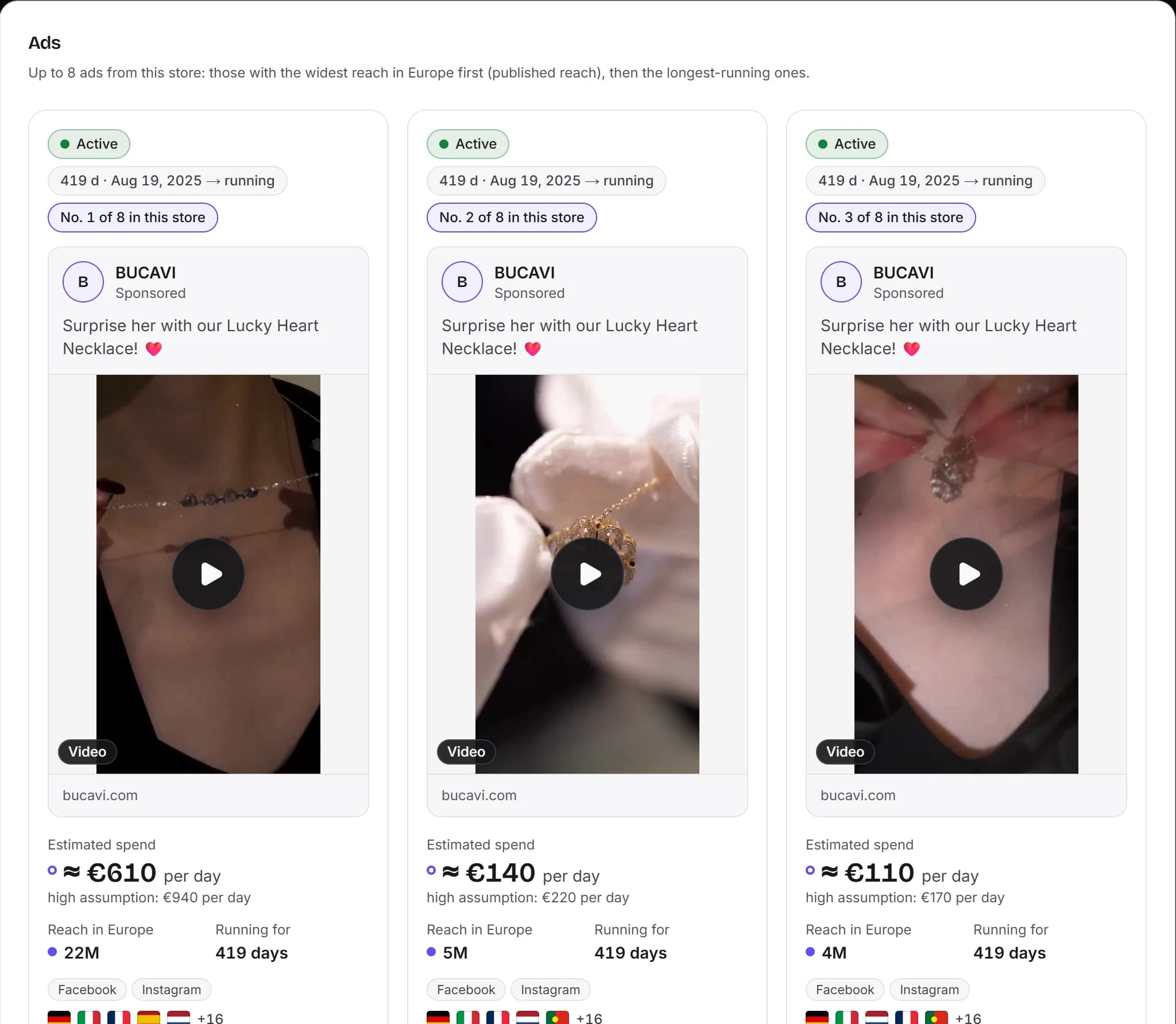
At the top of each card: the status (“Active” for an ad that is running), the ad's Library ID, the date it started running and its platforms. Below: the Page running it, the copy, the image or video, the landing page link and the call-to-action button.
The start date
This is the most useful line: it tells you how long the ad has been running. Outside the European Union and the United Kingdom, it is the only date published; in the European Union and the United Kingdom, the library publishes its delivery dates.
“This ad has multiple versions”
The same ad comes in several variations, which the full details let you step through one by one: you see what the advertiser changes.
See ad details
The full view also presents the advertiser: its Page, its followers, its category. For an ad delivered in the European Union, “Transparency by location” is added, covered below. Opened in the library, an advertiser's Page shows when it was created and the history of its name changes.
What the library adds for ads delivered in the European Union
Under the EU Digital Services Act, the library displays and archives every ad that delivered at least one impression in the European Union, whatever its subject. The card then carries the “EU transparency” label, and the full details a “Transparency by location” section:
- reach: the number of Meta accounts in the EU that saw the ad at least once. Meta states that this figure is estimated, and differs from impressions, which also count repeat views;
- reach by country, age range and gender;
- the advertiser's targeting: locations included or excluded, age and gender targeted;
- the advertiser and the payer, as declared by the advertiser;
- the delivery dates, the ad staying in the library for one year after its last impression.
In the United Kingdom, the library publishes the same information for ads delivered since 1 July 2025, except the advertiser and the payer.
Spend and impression counts, however, are not published: only ads about social issues, elections or politics show them, as ranges. Reach is therefore the only public figure that tells you at what scale a commercial ad circulated, and only in Europe.
The limits of the Ad Library
Built for transparency, not for market research, the library has six limits worth knowing.
No spend for commercial ads
Apart from ads about social issues, elections or politics, it publishes neither spend nor impression counts: you cannot read what a brand spends.
No archive outside Europe
A commercial ad delivered only outside the European Union and the United Kingdom disappears when it stops: you only see the ones running today.
One search at a time
You query it by advertiser or by keyword, one search after another. It does not group ads by website: a brand that advertises from several Pages means finding each of them.
No history, no trend
It shows the state of each ad, not how an advertiser evolves: no curve of its active ads week after week, no comparison between two brands, no ranking with figures.
Rounded counts, removals
The result count is approximate, and Meta may remove ads from the library in limited circumstances, for example for serious violations of its rules or valid government requests.
Nothing about results
It says nothing about the clicks, orders or revenue an ad brought in.
Spotting an ad that lasts: the signals to read
The library does not tell you whether an ad is profitable. It gives clues, to be read together and with care.
How long it has been running
An ad costs money for as long as it runs. If an advertiser keeps it live for weeks, they judge it worth it. It is the strongest signal, but a clue, not proof: an ad can also keep running by oversight, or at a loss.
Versions and relaunches
Several versions of an ad, or the same visual relaunched in several ads, show that an advertiser is investing in a message. What changes from one version to the next tells you what they are testing.
Reach in Europe
Read alongside duration, reach gives an order of magnitude of the effort: two ads launched on the same day can have reached a hundred times more people one than the other.
What no signal tells you
Not the exact spend, not the sales, not the margin. Apart from political ads, Meta does not publish what an ad cost: any spend shown elsewhere is an estimate.
Frequently asked questions
Is the Facebook Ad Library free?
Yes. It is public, free and opens without a Facebook account, at facebook.com/ads/library. An account is only required to report an ad or to view content restricted to adults.
Can you see how much a competitor spends on Facebook ads?
Not for a commercial ad: the library only publishes a spend range for ads about social issues, elections or politics. For an ad delivered in the European Union, it publishes reach, from which spend can only be estimated.
How long does an ad stay in the library?
For as long as it is active. Once stopped, it stays one year after its last impression if it was delivered in the European Union or the United Kingdom, seven years if it is about social issues, elections or politics; otherwise, it leaves.
Why can't I find an ad?
It appears within 24 hours of its first impression and, once stopped outside Europe, it is gone. An ad subject to an age restriction, such as alcohol or betting, is only shown to logged-in people who meet the age requirement.
What is the difference between reach and impressions?
Reach counts the Meta accounts that saw an ad at least once; impressions count every view, repeat views included. The library publishes reach, estimated by Meta, for ads delivered in the European Union, but not their impressions.